Instagram Video Downloader

Anonymous Story Viewer

Instagram Downloader offers a Story Viewer feature that lets you browse Instagram profiles privately. No account login required, and no one will know you've viewed their content.

Download Instagram Videos

Easily download videos from Instagram — whether it’s a single post or multiple clips from a carousel. Just copy, paste, and save.

IGTV Video Saver

IGTV hosts longer videos that you may want to keep. Instagram Story Downloader allows you to download these videos for offline access, even if the original post is deleted.

Reels Downloader

Instagram Reels are short videos like TikToks — and Instagram Video Downloader lets you download them effortlessly with audio, straight to your device.

Album / Carousel Support

Need to download a full gallery post? Instagram Downloader makes it easy to grab multiple photos and videos from a single Instagram carousel.

Image Downloader

Save Instagram photos in high resolution — whether it's a standalone image or part of a carousel. Quick, easy, and anonymous.

How to Save Instagram Videos with Instagram Story Downloader

Copy the Video Link

Copy the Video Link

On mobile: tap the three dots on the video and select 'Copy Link'. On desktop: right-click the video timestamp and choose 'Copy link address'.

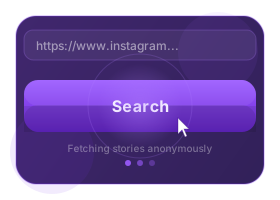
Paste the Link

Paste the Link

Go to our Downloader website and paste the copied URL into the download field. Click Search button

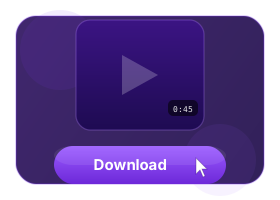
Click Download

Click Download

Press the 'Download' button to begin saving the video directly to your device.

What is Instagram Video Downloader?

Instagram Story Downloader's Instagram Video Downloader helps you download public videos from Instagram in just a few clicks. All you need is the video’s URL — no login or software required.

Key advantages include:

Easy Sharing: Repost or share downloaded videos with friends who aren’t on Instagram.

Archiving: Keep your favorite content stored long-term in your own collection.

Fast & Simple: No technical knowledge needed. Just copy, paste, and download in seconds.

info block

Frequently Asked Questions

What is an Instagram Video Downloader?

It's an online tool that lets you save videos from public Instagram posts in high quality, without needing to register or install anything.

How can I download Instagram videos on iPhone or iPad?

Use Safari on iOS 13+ or install the Documents by Readdle app. Then visit Instagram Story Downloader, paste the video link, and tap download.

How do I download Instagram videos on Android?

Copy the video URL in Instagram, go to Instagram Story Downloader in your browser, paste the link into the input box, and press download.

Is the video downloader free?

Yes, you can use Instagram Video Downloader to download Instagram videos completely free of charge, with no limitations.

Is it legal to use this tool?

Yes, downloading videos for personal use is legal. For commercial use or redistribution, make sure to get permission from the content creator.

Which devices are supported?

Insta Downloader works on any device with a browser — iPhone, Android, Windows, macOS, Linux. No app required.

Can I use it on a desktop computer?

Yes, just copy the video URL from your browser and paste it into the Instagram Story Downloader input box to start the download.

Where do the downloaded videos go?

They’re saved in your device's default Downloads folder — or in your phone’s gallery/media storage.

What’s the maximum quality I can download?

Instagram limits image resolution to 1080×1350 px and most videos to 720p (HD). Instagram Story Downloader always downloads the highest available quality.

Can I download from private accounts?

No, only content from public Instagram profiles can be downloaded with this tool.